Table of Contents
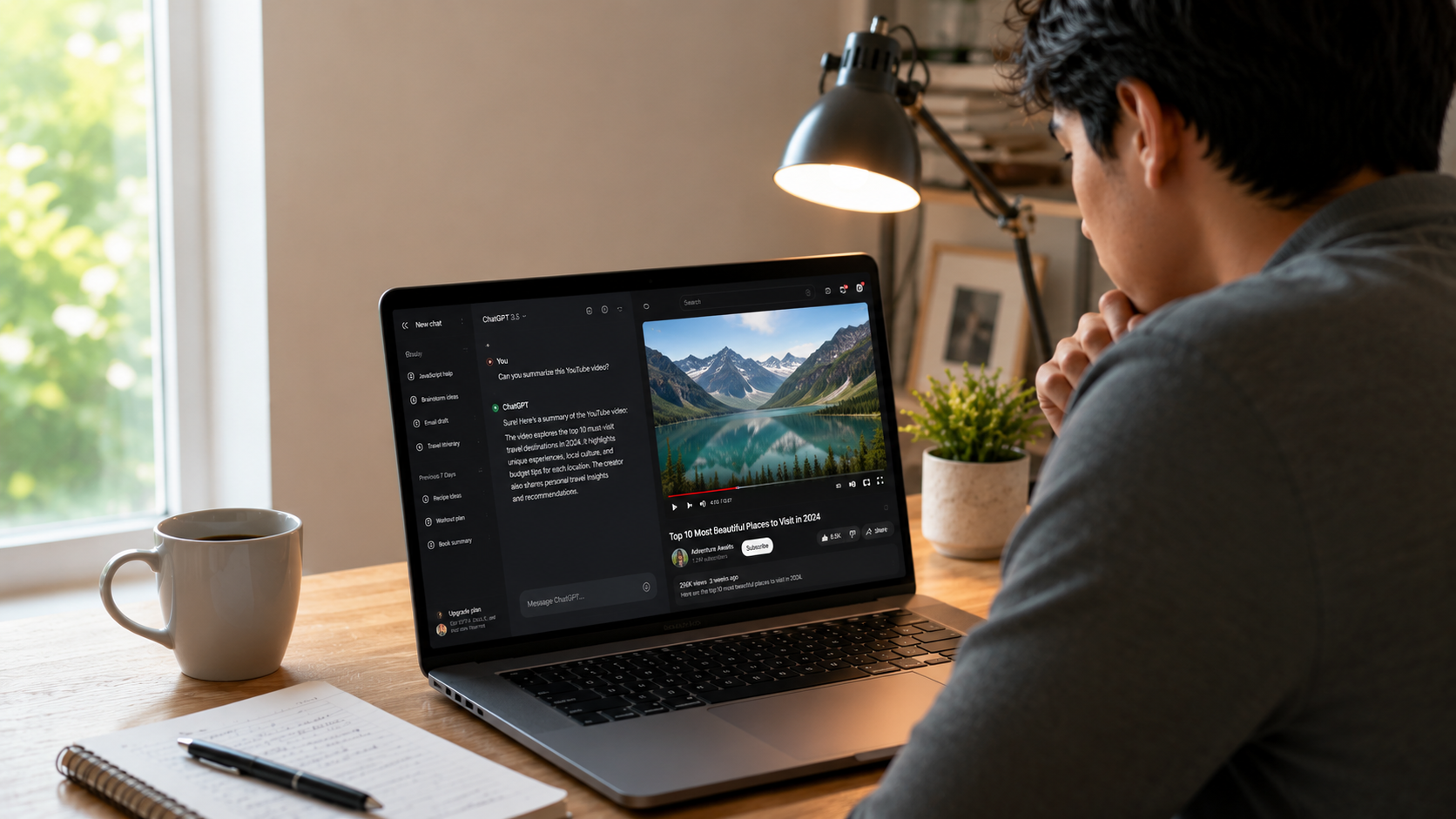
With millions of people using ChatGPT every day, a common question keeps coming up: Can ChatGPT watch YouTube videos?
The short answer is no not in the same way a human watches videos. However, ChatGPT can still help you understand, summarize, and analyze YouTube content in several ways. The exact capabilities depend on what information you provide and which features are available in your version of ChatGPT.
In this article, we’ll explain how ChatGPT works with YouTube videos, what it can and cannot do, and the best ways to use it for video-related tasks.
Can ChatGPT Watch YouTube Videos?
ChatGPT does not “watch” YouTube videos like a person does. It doesn’t automatically play videos, observe scenes, or listen to audio simply because you mention a YouTube link.
Instead, ChatGPT works with information that is available to it through your conversation and supported features. For example, it can help if you:
- Share a transcript of the video.
- Describe what happens in the video.
- Ask questions about specific topics covered in the video.
- Use features that allow ChatGPT to access or process video-related information, if available in your version.
What ChatGPT Can Do with YouTube Videos
Although ChatGPT doesn’t watch videos directly, it can be incredibly useful for working with YouTube content.
1. Summarize Video Transcripts
If you paste a transcript into ChatGPT, it can:
- Create a concise summary.
- Highlight the key points.
- Explain complex concepts.
- Generate study notes.
This is especially useful for educational lectures, podcasts, interviews, and webinars.
2. Explain Difficult Topics
Suppose you’re watching a programming tutorial or a science documentary. If something is confusing, you can copy the relevant section or explain what you heard and Can ChatGPT watch YouTube videos
ChatGPT can:
- Simplify technical language.
- Provide examples.
- Answer follow-up questions.
- Explain concepts step by step.
3. Create Study Notes
Students often use ChatGPT to transform video transcripts into:
- Bullet-point notes
- Flashcards
- Quiz questions
- Revision guides
- Practice tests
This saves time and improves learning.
4. Generate Video Summaries
Content creators and marketers can use ChatGPT to generate:
- YouTube descriptions
- Blog posts from video content
- Social media captions
- Email newsletters
- Podcast show notes
This helps repurpose content across multiple platforms.
5. Improve YouTube Scripts
If you’ve written a script for a YouTube video, ChatGPT can help by:
- Improving grammar.
- Making the script more engaging.
- Adding stronger introductions.
- Improving calls to action.
- Optimizing for audience retention.
What ChatGPT Cannot Do
There are a few limitations to keep in mind.
ChatGPT cannot:
- Automatically watch every YouTube video.
- Stream videos in real time like a human viewer.
- Independently browse YouTube whenever asked.
- Guarantee analysis of private or restricted videos without the necessary information.
These limitations exist because ChatGPT works primarily with text and supported inputs rather than continuously viewing online video content.
How to Use ChatGPT with YouTube Videos
If you want the best results, follow these steps:
Method 1: Paste the Transcript
Copy the video’s transcript and ask ChatGPT to:
- Summarize it.
- Explain it.
- Rewrite it.
- Translate it.
- Create notes from it.
Method 2: Share Key Sections
If the transcript is long, copy only the relevant section and ask specific questions.
For example:
- “Explain this paragraph in simple English.”
- “Summarize this section.”
- “What is the main idea?”
Method 3: Describe the Video
If there’s no transcript, simply describe what’s happening in the video.
Example:
“The video explains how solar panels work using animations. Can you explain it more simply?”
ChatGPT can provide additional context and explanations based on your description.
Benefits of Using ChatGPT for YouTube Content
Using ChatGPT alongside YouTube offers several advantages:
- Saves time by summarizing long videos.
- Makes learning easier with simplified explanations.
- Helps students create revision materials.
- Assists creators with content repurposing.
- Improves writing quality for scripts and descriptions.
- Generates FAQs, quizzes, and discussion points.
Can ChatGPT Watch YouTube Videos Directly?
No, ChatGPT does not watch YouTube videos the way humans do. It cannot automatically play a YouTube video, observe visual scenes, or listen to audio just from a link. However, if you provide a transcript, captions, screenshots, or a detailed description, ChatGPT can summarize the content, explain difficult concepts, answer questions, and even create study notes or blog posts based on that information.
Final Thoughts
So, can ChatGPT watch YouTube videos? Not in the traditional sense. ChatGPT doesn’t independently view or listen to videos the way people do. However, it is an excellent tool for understanding, summarizing, explaining, and transforming YouTube content when you provide the necessary information or use supported features.
Whether you’re a student, researcher, educator, marketer, or content creator, ChatGPT can help you get more value from YouTube videos by making information easier to understand and reuse.
Can ChatGPT watch YouTube videos directly?
No. ChatGPT cannot watch YouTube videos directly like a human.
Can ChatGPT summarize YouTube videos?
Yes. It can summarize videos if you provide the transcript or video details.
Can ChatGPT explain YouTube videos?
Yes. It can explain video content when you share the transcript or describe the video.